 Label volume editor
Label volume editor
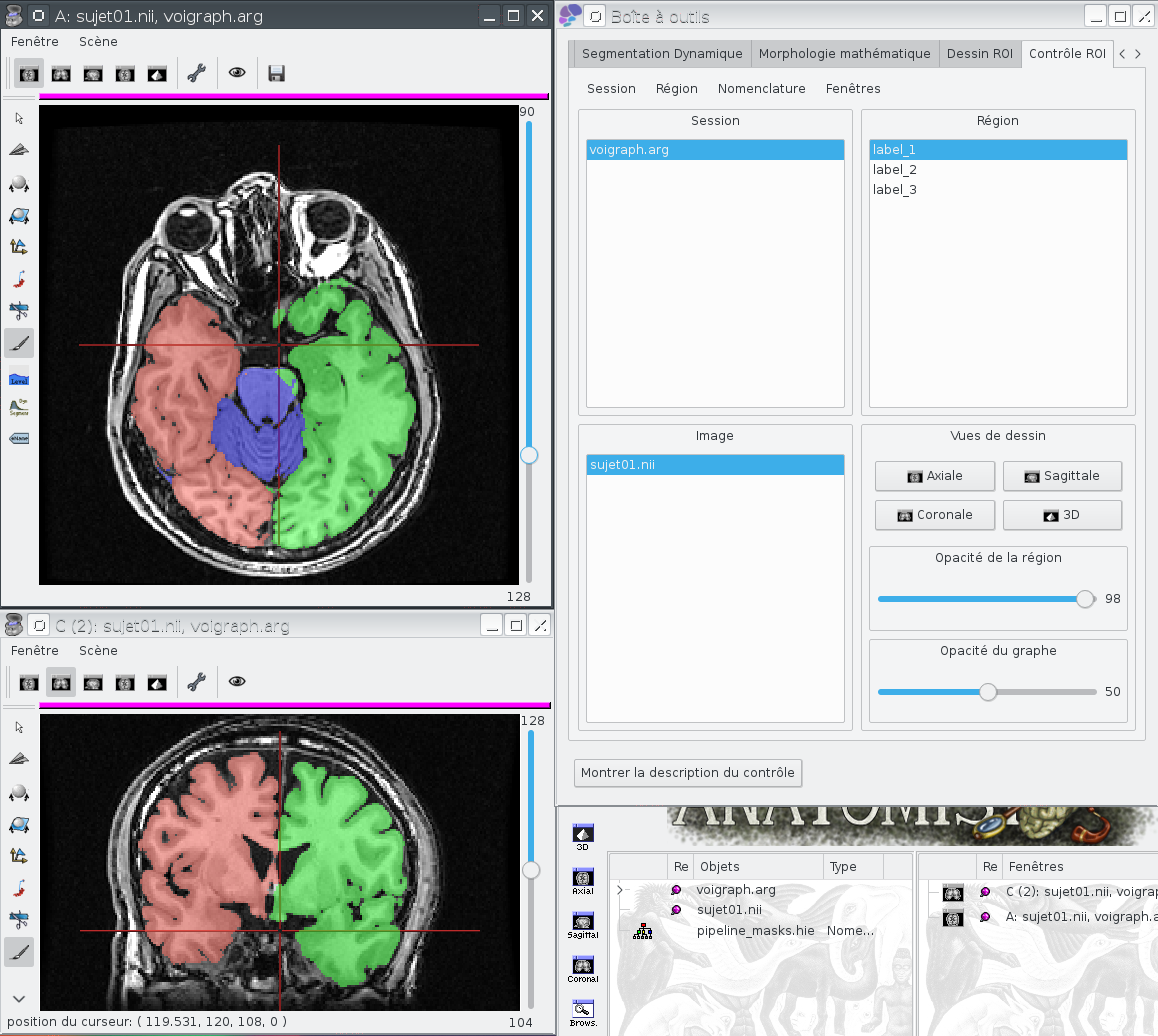
Label volume editorManual correction of a labels image or a mask using Anatomist's drawing module
Select the image to modify, and trigger the process.
An Anatomist window will appear, together with its ROI toolbox. An additional icon, "save" will be visible on the horizontal icons toolbar of the Anatomist window.
Perform your corrections and press the "save" button from time to time to save your work.
When done, close the Anatomist window. A last save will pe proposed.
label_volume: Label volume ( output )volume to modify
support_volume: Raw T1 MRI ( optional, input )background MRI to display under the drawn regions
pipeline_mask_nomenclature: Nomenclature ( optional, input )regions names
background_label: OpenChoice ( input )
Toolbox : Tools
User level : 0
Identifier :
AnaLabelVolumeEditorFile name :
brainvisa/toolboxes/tools/processes/roi/AnaLabelVolumeEditor.pySupported file formats :
label_volume :gz compressed NIFTI-1 image, DICOM image, Directory, ECAT i image, ECAT v image, FDF image, GIS image, JPEG image, MINC image, NIFTI-1 image, SPM image, TIFF image, TIFF(.tif) image, gz compressed MINC image, gz compressed NIFTI-1 imagesupport_volume :gz compressed NIFTI-1 image, DICOM image, Directory, ECAT i image, ECAT v image, FDF image, FreesurferMGH, FreesurferMGZ, GIS image, JPEG image, MINC image, NIFTI-1 image, SPM image, TIFF image, TIFF(.tif) image, Z compressed ECAT i image, Z compressed ECAT v image, Z compressed GIS image, Z compressed SPM image, gz compressed ECAT i image, gz compressed ECAT v image, gz compressed GIS image, gz compressed MINC image, gz compressed NIFTI-1 image, gz compressed SPM imagepipeline_mask_nomenclature :Hierarchy, Hierarchy