 View sphere segmentations
View sphere segmentations
View sphere segmentationsDisplay a summary of each steps of the segmentation sub pipeline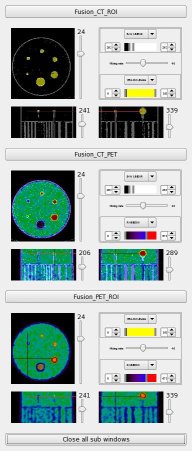
CT: Phantom CT ( entrée )
center: String ( input )
Pets_mean: ListOf( Phantom PET Mean ) ( input )
PET_mean_toDisplay: Phantom PET Mean ( entrée )
ct_segmented: Phantom CT Segmented ( entrée )
sph_rois: Phantom ROI Sph ( entrée )
Toolbox : Imagerie nucléaire
Niveau d'utilisateur : 2
Identifiant :
jzkDisplaySphSegmentationNom de fichier :
brainvisa/toolboxes/nuclearimaging/processes/jaszczak/jzkDisplaySphSegmentation.pySupported file formats :
CT :NIFTI-1 image, NIFTI-1 imagePets_mean :NIFTI-1 image, NIFTI-1 imagePET_mean_toDisplay :NIFTI-1 image, NIFTI-1 imagect_segmented :NIFTI-1 image, NIFTI-1 imagesph_rois :NIFTI-1 image, NIFTI-1 image