Morphologist QC
Morphologist now runs additional steps which perform some global measurements on segmented brains, and a QC which checks whether these measurements are within expected ranges.
A table allows to display, at dataset level, the main outputs of the Morphologist pipeline, and show whether thay have been produced or not, and if the QC checks dit notice anything suspicious.
QC table in Axon (Brainvisa classic)
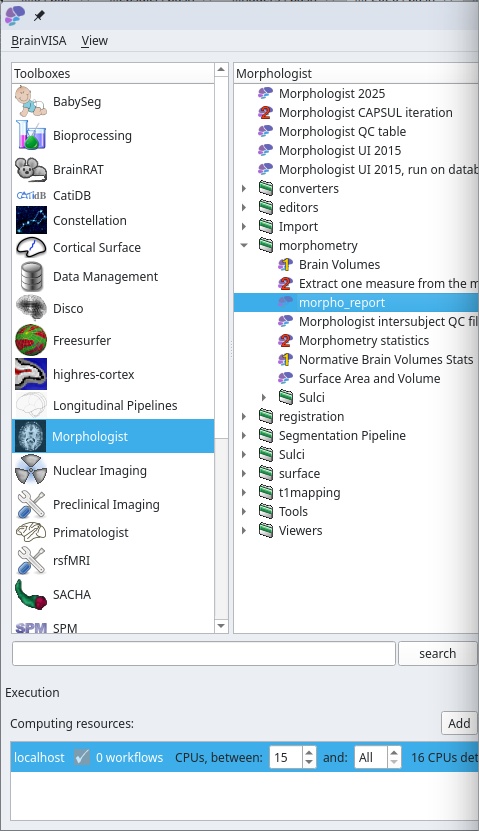
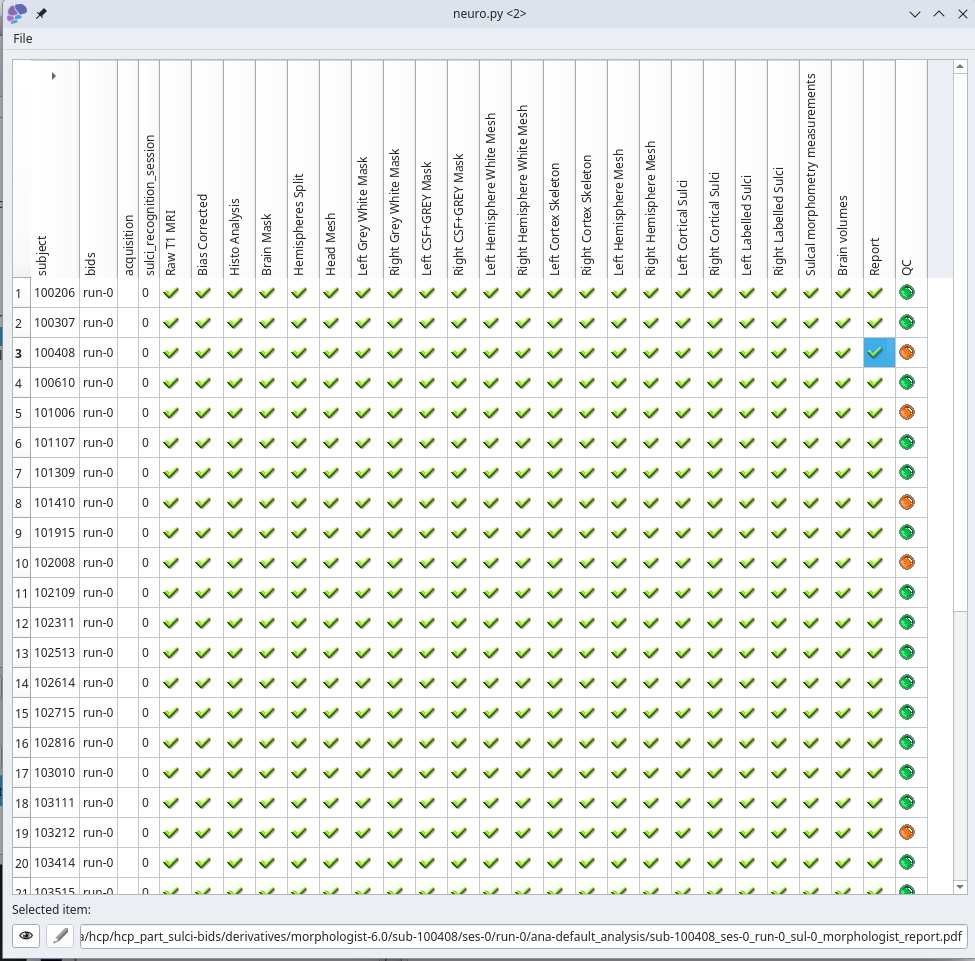
Double-clicking on an item (an existing output file) triggers a viewer process
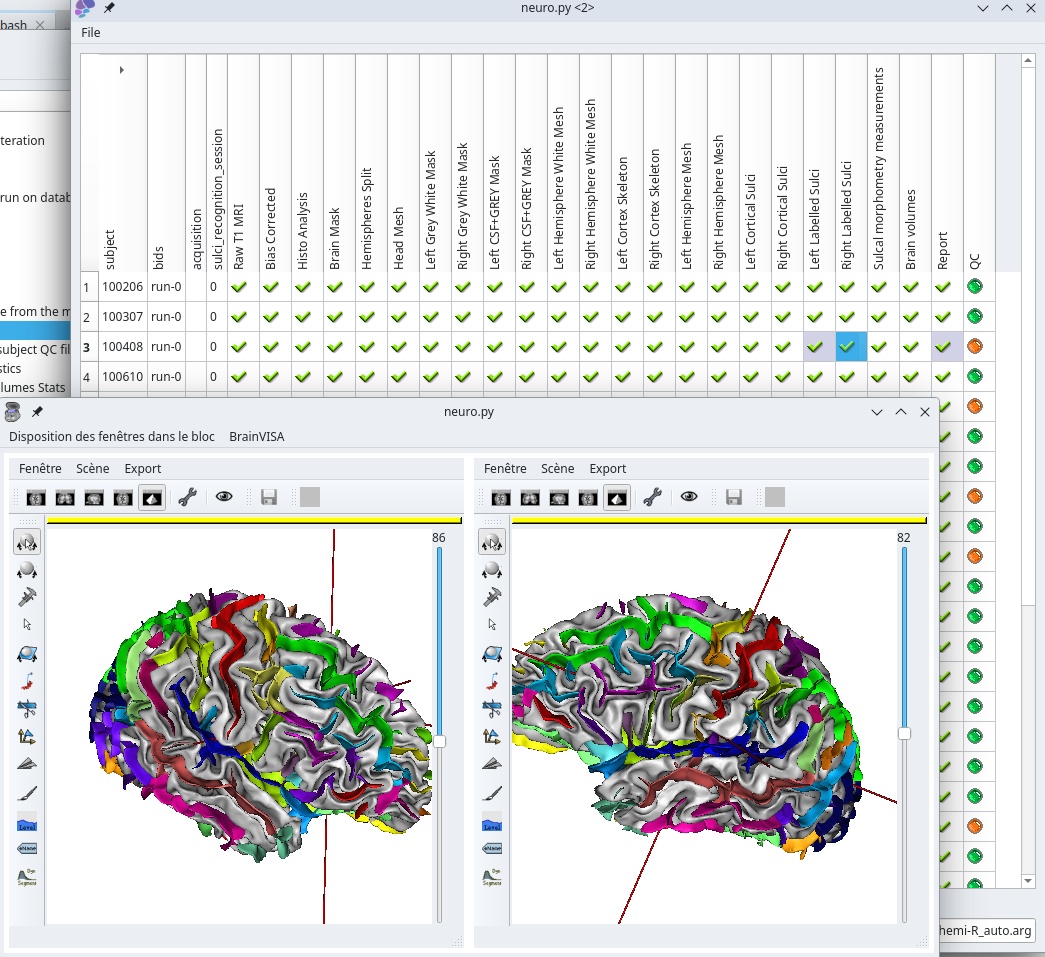
Based on database queries in the Brainvisa database.
So, suffers the same limitations and bottlenecks as all data in BrainVisa.
QC table in Capsul
The QC table process has been ported to Capsul infrastructure.
Free from BrainVisa/Axon’s bottlenecks
Commandline-based
Has a filesystem bottleneck unless a database is built (see below)
Using a database, can manage large datasets
Viewers do also work as in Axon, but without autimatic inter-subject coordinates sytem management, so far
Using files status checks
bv python -m capsul -y -i /data/hcp_part_sulci-bids/derivatives/morphologist-6.0 \
    --if morphologist-bidfs-2.0 morphologist.capsul.qc.morphologist_qc_table
Note the -y parameter in the commandline, which tells that the process to be run is an interactive GUI process, so the program should not just quit after runing. If you forget it, the commandline will just exit without having time to show anything to the user. It may be useful to save a document (HTML or PDF output) without interaction.
This version scans files in the dataset, which is OK for a small dataset on a local filesystem, but for large datasets on remote filesystems, it runs into a bottleneck…
Using a database
To overcome this, we need to build a Capsul database file:
bv python -m capsul -i /data/hcp_part_sulci-bids/derivatives/morphologist-6.0 \
    --if morphologist-bidfs-2.0 morphologist.capsul.qc.index_db
This process scans the dataset directory and builds a capsul-<version>.sqlite database which can be reused afterwards.
Then:
bv python -m capsul -y -i /data/hcp_part_sulci-bids/derivatives/morphologist-6.0 \
    --if morphologist-bidfs-2.0 morphologist.capsul.qc.morphologist_qc_table \
    database_sqlite=/data/hcp_part_sulci-bids/derivatives/morphologist-6.0/capsul-2.6.sqlite \
    index_status=Force
The index_status parameter here tells to index in the database status files contents, which need to be read once, which can be long if the dataset is large.
Once it is done once, the parameter index_status=Force should be removed (or replaced with index_status=Use) so that the status is now queried from the database and not read from files:
bv python -m capsul -y -i /data/hcp_part_sulci-bids/derivatives/morphologist-6.0 \
    --if morphologist-bidfs-2.0 morphologist.capsul.qc.morphologist_qc_table \
    database_sqlite=/data/hcp_part_sulci-bids/derivatives/morphologist-6.0/capsul-2.6.sqlite
Once database indexing is done, the QC table process can manage very large datasets (we use it on datasets of over 40000 subjects).
Do not forget however that files exsitance and statuses are no longer checked physically but just queried from the database: if files change, the database should be rebuilt, or the QC table will show outdated information. So it’s OK for a processed dataset which will not change afterwards.
QC report
The last step of the Morphologist pipeline is a QC report which produces both a JSON file and a PDF document. This document displays snapshots of key segmentation steps, and some of the brain mesurements.
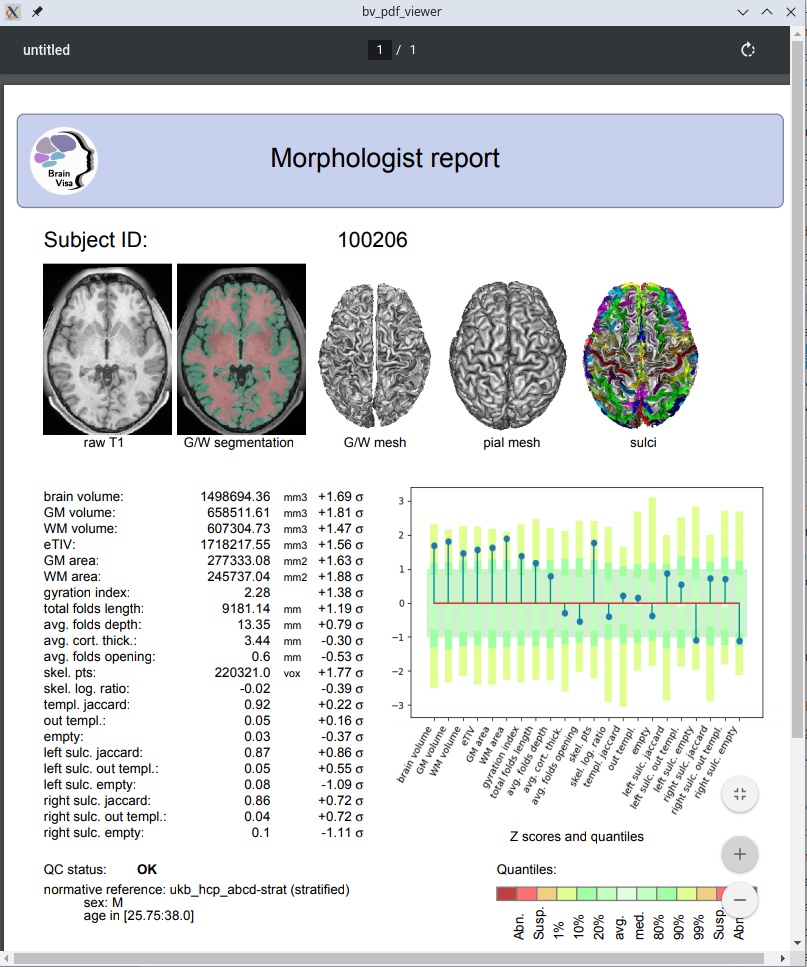
It may use normative stats to raise flags and warnings if some of the measurements are out of common ranges.
Normative stats may be used gloablly (based on a population of different sex/ages), but may also be used in regard of matching “covariables” (namely age and sex here). For this to work, age and sex information have to be specified for the given subject. They can be provided in several different ways, either directly (manually) or using a “covariables file”.
Specifying covariables by hand
Use the coavriables parameter, using a JSON dictionary syntax:
{"sex": "M", "age": 35}
Specifying a covaribales file
The
covariables_fileoptional parameter is meant to provide a sex and age information file for the subject, in order to use matched stratified normative data. So it is useful only when using such stratified normative data. This file is an alternative to thecovariablesparameter, and may contain several subjects, as long as the subject ID is found in the first table column.sexandagecolumns are needed in this table. The table may be the BIDSparticipants.tsvfile, if the expected columns are present there.The
covariables_specparameter may be used optionally to replacecovariables_fileandcovariablesin the context of stratified normative data to compare global brain morphometric measurements. It allows to use covariables (normallyageandsex) which may be scattered in multiple files, and add data filters and values transformations. The string here is aJSONdictionary secifying, for each covariable, where and how to find it.Example (inspired by the ABCD cohort phenotypes files):
{"age": {
    "filename": "/data/abcd/phenotype/ab_g_dyn.tsv",
    "var_in_file": "ab_g_dyn__visit_age",
    "filter": {"session_id": "ses-00A"}},
 "sex": {
    "filename": "/data/abcd/phenotype/ab_g_stc.tsv",
    "var_in_file": "ab_g_stc__cohort_sex",
    "interpret": {"1": "M", "2": "F"}}}
This means that
ageandsexvariables are found in different files (ab_g_dyn.tsvandab_g_stc.tsvrespectrively) under column namesab_g_dyn__visit_ageandab_g_stc__cohort_sex, that the subject age table has to be filtered using onlysession_idcolumn value beingses-00A(the baseline of a longitudinal study where the same subject may have multiple acquisitioins at different ages), and thesexvalue is not (”M”, “F”) as expected, but numerical values (1,2) which need to be translated.The
interpretfield may be a dict as in this example to simply translate values, or a string naming a translation function. To date, only the valuemonthsis understood to translate age in months into years.
